Learn why organizations are investing in verification instead of detection alone. For years, the fight against synthetic media manipulation followed a familiar pattern: researchers identified deepfake artifacts, built detection models around those signatures, and deployed them across platforms. Detection accuracy improved. Conferences celebrated breakthroughs. The industry felt like it was winning. Then generative AI became exponentially better at eliminating the very artifacts those systems were trained to find. As synthetic media improves, confidence increasingly comes from layered evidence rather than a binary label. Synthetic Proof helps organizations evaluate that evidence in context. What's emerging isn't simply a technical gap that better detection can close. It's a fundamental shift in how organizations must approach digital trust. The old model—detect manipulated content after it's created—assumes defenders can keep pace with attackers....

Create a connected ecosystem of tools, automations, and AI assistants that work together seamlessly.
Most teams treat AI tools like a collection of shiny objects—ChatGPT for writing, Zapier for automation, Notion for docs. Each app lives in its own silo, requiring manual handoffs and creating friction at every step. The result? You're using AI, but you're not getting the compounding efficiency that comes from a true AI automation stack.
The difference between using AI tools and building AI systems is integration. A proper AI workflow system connects your tools into a functioning operational ecosystem where outputs from one process automatically feed into the next. This approach transforms isolated productivity gains into systematic operational leverage.
Related: If you want the full operating system for AI workflows, prompts, ideation, and execution, Snapse OS brings the pieces together.
The Architecture Of An AI Automation Stack
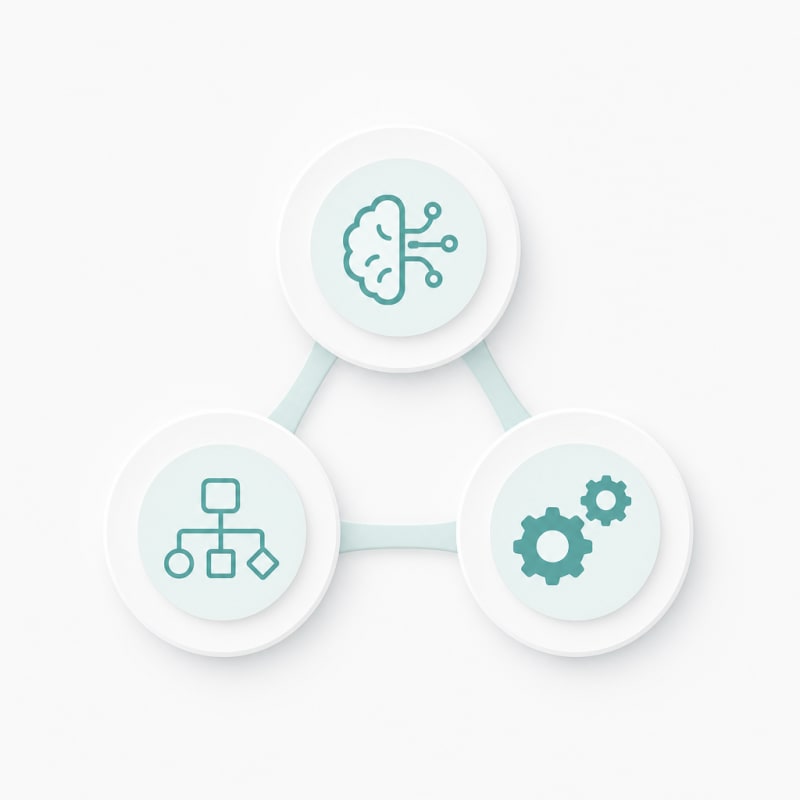
Before selecting tools, understand the three layers that make up effective AI systems:
The execution layer is where AI actually does work—generating content, analyzing data, or processing information. This includes large language models, image generators, and specialized AI services.
The orchestration layer connects these AI tools to each other and to your existing software. This is where automation platforms, APIs, and integration tools live.
The data layer stores inputs, outputs, and context. Your CRM, databases, document repositories, and knowledge bases form this foundation. Without clean data flow between layers, your system breaks down.
Mapping Your Operational Workflows First
Don't start with tools. Start by documenting your actual workflows from trigger to completion.
Take content production as an example. A complete workflow might look like: topic research → outline creation → first draft → editing → formatting → publishing → distribution → performance tracking. Each step has inputs, outputs, and decision points.
Map these for your critical operations. Identify where information currently gets stuck, where you're copying and pasting between tools, and where you're doing repetitive work that follows consistent patterns. These friction points are where your AI workflow system will deliver the most value.
Identifying Integration Points
Once you've mapped workflows, mark the handoff points between steps. These are your integration opportunities. A handoff might be moving an approved outline into a drafting tool, or taking a finished article and updating your content calendar.
Each handoff that currently requires human intervention is a candidate for automation. But not every handoff should be automated immediately—focus on high-volume, rules-based transitions first.
Selecting Tools That Actually Connect
Tool selection for AI systems requires different criteria than choosing standalone apps. Prioritize tools with robust APIs, native integrations, and webhook support.
For your execution layer, look for AI tools that can accept inputs programmatically and return structured outputs. OpenAI's API, Anthropic's Claude API, and specialized tools like Jasper or Copy.ai often work better in systems than their web interfaces alone.
Your orchestration layer needs a reliable automation platform. Make, Zapier, and n8n are common choices, each with tradeoffs. Make offers visual workflow building with good error handling. Zapier has the largest app ecosystem. n8n provides self-hosting options and more complex logic capabilities.
For the data layer, choose tools that serve as both storage and trigger points. Airtable, Notion databases, and Google Sheets can function as command centers that both store information and kick off automated workflows when records are created or updated.
Building Your First Connected Workflow
Start with one complete workflow rather than trying to automate everything at once. Choose something you do weekly that follows a predictable pattern.
A practical starting point: automated content research to brief. Set up a system where adding a topic to a database triggers research using AI, compiles findings into a structured brief, and notifies your team when it's ready for review.
Implementation Steps
First, create a source of truth—a database or spreadsheet that tracks your content topics and their status. This becomes your control panel.
Second, build the automation that watches this database. When a new topic is added with a specific status, your automation platform triggers the next steps.
Third, connect your AI execution. The automation sends the topic to an AI service with a specific prompt, receives the output, and structures it appropriately.
Fourth, route the output back to your data layer. The research results get added to your database, linked to the original topic, and the status updates automatically.
Fifth, add human checkpoints. Not everything should be fully automated. Insert approval steps where quality matters, using notifications or status changes to alert team members when their review is needed.
Scaling To Multiple Interconnected Workflows
Once your first workflow runs reliably, expand by connecting related processes. Your content brief workflow can feed into a drafting workflow, which feeds into an editing workflow, which triggers publishing and distribution.
The key to scaling AI systems is using shared data structures. When all your workflows read from and write to the same databases using consistent field names and formats, they can easily pass information between each other.
Create standard templates for common data types in your operations. A content piece might always include fields for topic, status, assigned writer, target keyword, draft URL, and publish date. When every workflow expects and populates these same fields, your entire system becomes interoperable.
Handling Exceptions And Edge Cases
Automated systems break when they encounter unexpected inputs. Build in error handling from the start.
Set up notifications when automations fail. Your orchestration tool should alert you immediately when a step doesn't complete, rather than silently stopping.
Create fallback paths for common exceptions. If an AI service is down, can the workflow queue the request for retry? If content doesn't meet length requirements, can it loop back for expansion rather than proceeding to the next step?
Maintain a manual override option. Sometimes you need to skip steps or force a workflow forward. Design your systems so humans can intervene without breaking the entire chain.
Measuring System Performance
Track metrics that reflect system health, not just output volume. Time from trigger to completion, error rates, and human intervention frequency tell you how well your AI automation stack actually functions.
Monitor the time saved per workflow execution. If a process that took 90 minutes now takes 15 minutes with 5 minutes of human review, you're seeing 70 minutes of leverage per run. Multiply that by frequency to understand total impact.
Watch for bottlenecks that emerge as you scale. A workflow that works fine for 5 pieces per week might buckle at 20. Database query times, API rate limits, and approval queue backlogs become visible only under load.
Maintaining And Evolving Your System
AI systems require ongoing maintenance. Tools update, APIs change, and your operational needs evolve. Schedule regular reviews of your workflows to identify what's working and what's degraded.
Document your automations thoroughly. When a workflow breaks at 3am, you need to understand quickly what it's supposed to do and where it's failing. Include notes on why you made specific design decisions—your future self will thank you.
Version control your prompts and automation logic. When you update an AI prompt that's used across multiple workflows, track what changed and when. This makes it possible to roll back if the new version produces worse results.
Stay current with the tools in your stack. Subscribe to changelog updates from your critical platforms. New features often enable better workflows or solve problems you've been working around.
Conclusion
Building AI systems rather than just using AI tools requires different thinking. Instead of asking "what can this app do for me," you ask "how does this fit into my operational flow." The shift from isolated tools to connected workflows is where AI delivers transformational rather than incremental value.
Start with one workflow, get it running reliably, then expand. Focus on integration points and data flow between your tools. Choose platforms that connect well rather than those with the flashiest features. The goal is a functioning ecosystem where your AI automation stack handles repetitive operational work while humans focus on strategy, creativity, and judgment.
Your first connected workflow might take a week to build and debug. Your tenth will take an afternoon. As you develop the patterns and infrastructure for AI systems, each new automation becomes faster to implement and more powerful because it plugs into everything you've already built.
The Practical Solution
Start with one workflow you run weekly that has clear inputs and outputs. Map every step on paper first, then connect just three tools: one AI execution layer, one automation platform, and one database that triggers the sequence. Build it, break it, and fix it before adding complexity. The goal isn't perfection—it's proving that one automated loop saves you five hours next week.
— Kevin Marsh, Editor-in-Chief
SNAPSE OS
Build Your Full AI Workflow System
Get the full Snapse OS bundle with Prompt OS, ideation systems, and freelancer workflow tools in one operating system.
Explore Snapse OSSynthetic Proof
Verified — Editorial Layer
This content has passed editorial verification for clarity, accuracy, and trust alignment.
Editor-in-Chief: Kevin Marsh
Verification Status: PASSED
Verification Status: PASSED
Comments
Post a Comment