Enterprise blueprint for deploying hybrid verification systems (C2PA + Cloud Lookup + Invisible Watermarks). Most provenance systems are designed for cooperative environments. They assume participants want to preserve authenticity, that timestamps will remain accessible, and that cryptographic signatures will stay attached to the files they authenticate. This works until someone decides those assumptions no longer serve their interests. The uncomfortable reality emerging across newsrooms, legal departments, and enterprise content systems is that provenance information is surprisingly fragile. A malicious actor with access to storage systems can strip metadata. A motivated insider can replace cryptographic credentials. A sophisticated adversary can manipulate the infrastructure that verification systems depend on. The question facing organizations building media architectures today isn't whether their provenance will be attacked—it's whether it will survi...
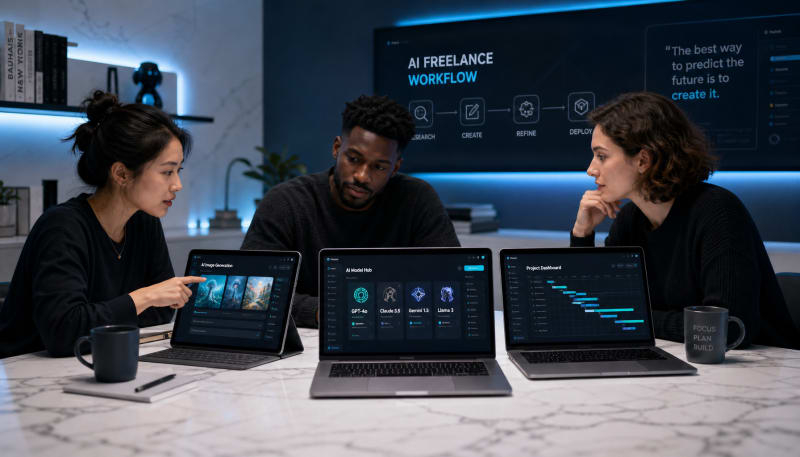
Compare the top AI models for research, writing, client communication, and productivity systems.
Freelancers in 2026 face a critical decision: which AI language model will actually improve their workflow without creating more overhead. With dozens of LLMs available, each claiming to revolutionize productivity, the choice has become more complex than ever. The right model can cut proposal writing time in half, streamline client communication, and handle research tasks that would otherwise consume billable hours.
This article examines the best llms for specific freelance workflows, comparing their strengths in proposal creation, research capabilities, client communication, content production, and overall productivity systems. The focus is on practical performance, not theoretical benchmarks.
Related: If your work depends on client delivery, handoffs, and repeatable execution, The Freelancer & Contractor Hub helps structure the process.
Why Freelancers Need Specialized LLM Selection
Unlike corporate teams with unlimited budgets and IT support, freelancers need AI for freelancers that delivers immediate value without extensive setup. You're paying subscription fees from your own pocket, and every hour spent learning a new tool is an hour you're not billing clients.
The key differentiators for freelance ai workflows include response speed, accuracy in professional contexts, ability to maintain consistent voice across projects, and integration with existing tools. A model that excels at creative writing might struggle with technical proposals, while one optimized for research could produce overly formal client emails.
Top LLMs For Proposal Writing
Proposals demand persuasive language, accurate scope definitions, and professional formatting. The models that consistently perform best in this category prioritize structure and business context.
Claude 3.5 Opus
Claude continues to dominate proposal writing for freelancers who need detailed, well-structured documents. Its ability to understand complex project requirements and translate them into clear deliverables sets it apart. The model excels at maintaining professional tone while avoiding the generic corporate speak that makes proposals feel templated.
For freelance workflows, Claude's 200,000 token context window means you can feed it previous successful proposals, client emails, and project briefs all at once. It identifies patterns in what works and adapts accordingly. Freelancers report cutting proposal development time from 3-4 hours to under an hour for complex projects.

GPT-4 Turbo
OpenAI's GPT-4 Turbo remains competitive for proposal work, particularly when you need to generate multiple variations quickly. Its browsing capability helps incorporate recent industry developments or client news into proposals, making them feel current and researched.
The integration ecosystem gives GPT-4 an edge for freelancers already using tools like Notion, Zapier, or custom automation. You can build proposal systems that auto-populate client information, pull from your service catalog, and adjust pricing based on project scope.
Research and Information Synthesis
Research is where many freelancers lose hours of unbilled time. The best llms for research don't just summarize—they connect dots across sources and identify gaps in information.
Perplexity Pro
While technically a search-augmented LLM rather than a pure language model, Perplexity has become essential for freelance ai workflows that require current information. It excels at competitive research, market analysis, and fact-checking client claims before you build strategy around them.
The citation system saves significant time during client reporting. Instead of manually tracking sources, Perplexity provides linked references that you can include directly in deliverables. For freelancers billing hourly, this transparency also helps justify research time to clients.
Gemini 1.5 Pro
Google's Gemini 1.5 Pro offers a massive one-million token context window, which translates to processing entire research repositories in a single conversation. For freelancers handling complex projects with extensive background materials, this capability is transformative.
You can upload complete industry reports, competitor websites, previous project files, and client documentation, then ask nuanced questions that require synthesizing across all sources. This works particularly well for consultants who need to get up to speed quickly on new industries or technical domains.
Client Communication Excellence
Email and message quality directly impacts client relationships. The best models for communication balance professionalism with personality, adapting tone based on context.
Claude for Nuanced Communication
Claude again leads in understanding communication context. It distinguishes between a first-touch email to a cold prospect versus a difficult conversation about scope creep with an existing client. The model can draft firm but diplomatic responses to unreasonable requests without burning bridges.
Freelancers particularly value Claude's ability to handle sensitive communication scenarios: explaining delays, negotiating rate increases, or declining projects that aren't a good fit. It provides the professional buffer that helps you respond thoughtfully rather than emotionally.
GPT-4 for High-Volume Communication
For freelancers managing multiple clients simultaneously, GPT-4's speed and API availability make it better for routine communication workflows. You can set up systems that draft status updates, acknowledge requests, and schedule follow-ups while maintaining consistent voice.
The model handles context-switching well, adapting communication style for different client personalities within the same work session. This matters when you're jumping between a formal corporate client and a casual startup founder.
Content Creation and Writing
Content production remains a core freelance service, but the definition has expanded beyond blog posts. Freelancers now create everything from technical documentation to social media campaigns.
Specialized Models by Content Type
For long-form content and thought leadership, Claude 3.5 Opus produces more nuanced arguments and better maintains narrative flow across thousands of words. It's particularly strong at technical writing where accuracy matters more than creativity.
For marketing copy and conversion-focused content, GPT-4 generates more varied headline options and call-to-action variations. Its training includes more advertising and sales content, which shows in its natural use of persuasive frameworks.
For social media and short-form content, newer models like Llama 3.1 offer surprising quality at lower cost. Freelancers running high-volume social media management can process hundreds of posts per month without enterprise-level AI budgets.
Productivity System Integration
The best llms for freelance workflows are the ones you'll actually use consistently. This comes down to integration with the tools that already structure your workday.
API-First Models
GPT-4 and Claude both offer robust APIs that connect with productivity tools freelancers already use. You can build custom integrations with project management software, time tracking apps, and invoicing systems.
Practical examples include automated time entry descriptions based on work completed, project status reports generated from task completion data, and invoice narratives that explain billable hours in client-friendly language.
Native Tool Integration
Gemini's integration with Google Workspace gives it an advantage for freelancers living in Gmail, Docs, and Sheets. The ability to analyze email threads for project requirements, generate documents in your existing templates, and pull data from spreadsheets without export/import cycles reduces friction significantly.
For freelancers using Microsoft 365, GPT-4's Copilot integration provides similar benefits, though the enterprise focus means some features require business subscriptions that don't make sense for solo freelancers.
Cost Considerations for Sustainable AI Use
Subscription costs add up quickly when you're using multiple AI tools. Strategic model selection based on task value helps maintain positive ROI.
Most successful freelance ai workflows use a tiered approach: premium models like Claude Opus or GPT-4 for client-facing work and proposals that directly generate revenue, mid-tier models for research and planning, and cost-effective options for routine tasks like email drafting or social media scheduling.
Token-based pricing through APIs often costs less than premium subscriptions if you're strategic about usage. A freelancer might spend $30-50 monthly on API access versus $60-80 on multiple subscriptions, while maintaining access to the same top-tier models.
Building Your Freelance AI Stack
Rather than seeking one perfect model, effective freelancers build a small stack of complementary tools. A typical high-performance setup might include:
Claude 3.5 Opus for proposals, complex client communication, and technical writing where accuracy is critical. GPT-4 Turbo for general content production, research synthesis, and workflow automation. Perplexity Pro for current event research, competitive analysis, and fact-checking.
This three-tool stack covers most freelance workflows without creating tool bloat. The key is establishing clear protocols for which tool handles which tasks, preventing decision fatigue about which AI to use for each project.
Conclusion
The best llms for freelance workflows in 2026 aren't necessarily the most powerful or most talked about models. They're the ones that integrate smoothly into your existing systems, deliver consistent quality for your specific service offerings, and provide measurable time savings that justify their cost.
Claude 3.5 Opus stands out for proposal writing and nuanced communication. GPT-4 Turbo excels in automation and integration scenarios. Gemini 1.5 Pro offers unmatched context handling for research-heavy projects. Perplexity Pro remains essential for current information and cited research.
The most successful approach involves selecting two to three models that complement each other, then building standardized workflows around their strengths. This creates predictable, reliable ai for freelancers that enhances rather than complicates your work. Start with the workflow that consumes most of your unbilled time, implement one model to address it, measure the results, then expand systematically from there.
SNAPSE
Run Client Work More Smoothly
Use structured systems for delivery, handoff, and repeatable execution.
Explore Freelancer & Contractor HubSynthetic Proof
Verified — Editorial Layer
This content has passed editorial verification for clarity, accuracy, and trust alignment.
Editor-in-Chief: Kevin Marsh
Verification Status: PASSED
Verification Status: PASSED
Comments
Post a Comment