Learn why organizations are investing in verification instead of detection alone. For years, the fight against synthetic media manipulation followed a familiar pattern: researchers identified deepfake artifacts, built detection models around those signatures, and deployed them across platforms. Detection accuracy improved. Conferences celebrated breakthroughs. The industry felt like it was winning. Then generative AI became exponentially better at eliminating the very artifacts those systems were trained to find. As synthetic media improves, confidence increasingly comes from layered evidence rather than a binary label. Synthetic Proof helps organizations evaluate that evidence in context. What's emerging isn't simply a technical gap that better detection can close. It's a fundamental shift in how organizations must approach digital trust. The old model—detect manipulated content after it's created—assumes defenders can keep pace with attackers....
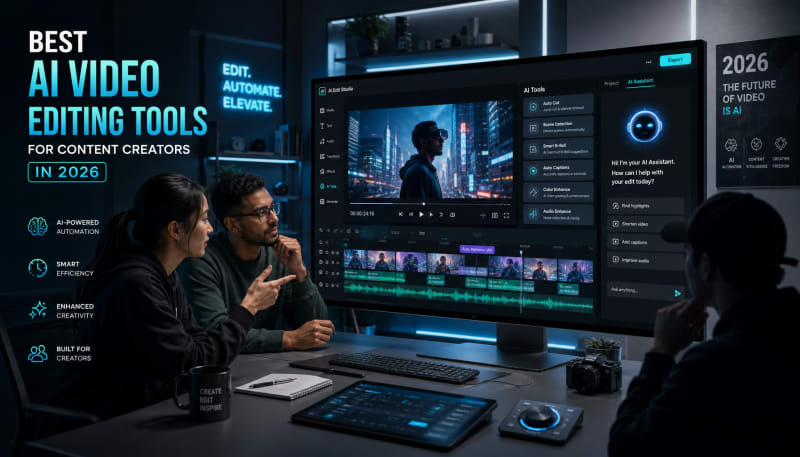
Discover AI-powered editors for captions, cuts, voiceovers, repurposing, and automated workflows.
Video content continues to dominate social media, marketing campaigns, and digital storytelling. But creating polished videos quickly has always been a challenge—until now. AI video editors have evolved dramatically, offering content creators powerful automation features that handle everything from cutting footage to generating captions and optimizing aspect ratios.
Whether you're a YouTuber, social media manager, or digital marketer, the best ai video tools can cut your editing time in half while maintaining professional quality. This guide covers the top options available in 2026, focusing on what makes each tool valuable for different types of creators.
Related: If you need a better system for planning, organizing, and developing content ideas, Content Ideation Hub gives you a repeatable structure.
Why AI Video Editing Matters in 2026
Traditional video editing requires technical skills and hours of manual work. AI changes this by automating repetitive tasks like color correction, audio balancing, and scene detection. Modern ai video editors analyze your footage and make intelligent decisions about pacing, transitions, and visual effects.
Video automation has become essential for creators who need to publish consistently across multiple platforms. Instead of manually resizing videos for TikTok, YouTube Shorts, and Instagram Reels, AI tools handle these adaptations instantly. The technology has matured to the point where automated edits often match or exceed what junior editors produce manually.
Top AI Video Editing Tools for 2026
Descript: Best for Podcast and Interview Content
Descript treats video editing like document editing. You edit the transcript, and the video changes accordingly. This approach works exceptionally well for interview content, podcasts, and talking-head videos where dialogue drives the content.
The AI removes filler words automatically, fixes awkward pauses, and can even clone your voice to correct mistakes without re-recording. The learning curve is minimal compared to traditional editing software, making it ideal for creators who prioritize speed over complex visual effects.
Runway ML: Best for Creative Visual Effects
Runway ML pushes creative boundaries with AI-powered visual effects that were previously only possible with expensive production teams. The platform excels at background removal, object tracking, and style transfers that can completely transform footage aesthetics.

Content creators working on music videos, artistic projects, or experimental content will find Runway's AI capabilities particularly valuable. The tool requires more creative experimentation than others but rewards users with unique visual results.
Adobe Premiere Pro with Sensei: Best for Professional Production
Adobe integrated its Sensei AI throughout Premiere Pro, adding intelligent features without sacrificing professional-grade control. Auto-reframe analyzes footage and keeps subjects centered when resizing for different platforms. Speech-to-text generates accurate captions automatically, and scene edit detection identifies cuts in existing footage.
This option suits creators who need both AI efficiency and manual precision. The subscription cost is higher, but the comprehensive feature set supports complex projects that simpler tools can't handle.
Opus Clip: Best for Repurposing Long-Form Content
Opus Clip specializes in transforming long videos into viral-ready short clips. The AI identifies the most engaging moments in your content, adds captions, and optimizes clips for maximum retention. This makes it perfect for creators who record long-form content but need short clips for social promotion.
The tool analyzes hooks, pacing, and content structure to select clips with the highest viral potential. While it doesn't offer full editing capabilities, its focused approach to video automation makes repurposing content almost effortless.
CapCut: Best Budget-Friendly Option
CapCut delivers surprisingly powerful AI features at no cost. Auto-captions work in multiple languages, background removal requires no green screen, and the AI can stabilize shaky footage effectively. The interface is mobile-friendly, allowing creators to edit professional content entirely on their phones.
The trade-off is less advanced color grading and fewer export options compared to professional tools. But for social media creators working on tight budgets, CapCut provides excellent value with minimal financial risk.
Key Features to Look for in AI Video Editors
Automated Transcription and Captions
Accurate auto-captioning saves hours of manual work and makes content accessible. The best ai video tools achieve 95%+ accuracy and support multiple languages. Look for options that let you customize caption styles to match your brand.
Smart Scene Detection
AI that recognizes scene changes, identifies speakers, and detects b-roll opportunities makes rough cuts faster. This feature is particularly valuable when working with raw footage from multiple cameras or sources.
Multi-Format Export
Video automation should include intelligent resizing for different platforms. The best tools don't just crop—they analyze composition and reframe shots to keep important elements visible across aspect ratios.
Audio Enhancement
AI-powered audio tools remove background noise, balance volume levels, and enhance voice clarity automatically. This is critical for creators recording in less-than-ideal environments.
How to Choose the Right Tool for Your Workflow
Consider your primary content format first. Interview and dialogue-heavy content benefits most from transcript-based editors like Descript. Visual creators working with b-roll and effects need tools like Runway ML or Premiere Pro.
Your technical skill level matters too. Some ai video editors assume no prior editing knowledge and guide you through simple workflows. Others offer AI assistance within professional environments that still require editing fundamentals.
Budget is obviously a factor, but calculate the time savings when comparing costs. A tool that cuts your editing time from six hours to two hours per video pays for itself quickly, even with a higher subscription fee.
Common Pitfalls to Avoid
Don't rely entirely on automation without reviewing results. AI makes mistakes with context, humor, and creative timing. Always review automated edits before publishing, especially for brand content where mistakes damage credibility.
Avoid choosing tools based solely on trending features. A video automation tool with 50 AI features you'll never use isn't better than one with 10 features you'll use daily. Focus on capabilities that match your specific workflow needs.
Be cautious about tools that claim to "do everything." Specialized AI video editors often outperform all-in-one solutions for specific tasks. Many successful creators use multiple tools, each handling what it does best.
The Future of AI in Video Editing
AI video editing capabilities continue advancing rapidly. Emerging features include emotion detection that adjusts pacing based on content tone, automated b-roll suggestions that pull relevant stock footage, and style replication that matches your editing patterns across projects.
Voice cloning and deepfake technology are becoming more accessible, raising both creative possibilities and ethical considerations. Responsible creators need to stay informed about proper disclosure and usage guidelines as these tools become mainstream.
The competitive landscape ensures prices will likely decrease while capabilities increase. Tools that seem expensive or limited today may become standard features in free platforms within months.
Conclusion
The best ai video tools in 2026 offer genuine time savings without sacrificing quality. Whether you choose Descript for dialogue-driven content, Runway ML for creative effects, or CapCut for budget-conscious mobile editing, AI video editors have matured into essential creator tools.
Start by identifying your biggest editing bottleneck—whether that's captioning, repurposing content, or basic cuts—and choose a tool that automates that specific pain point. Most platforms offer free trials, so test options with your actual content before committing to subscriptions.
Video automation isn't about replacing creativity. It's about eliminating tedious tasks so you can focus on storytelling, strategy, and the creative decisions that actually differentiate your content. The right AI video editor becomes an invisible assistant that handles the mechanics while you focus on what makes your content unique.
The Practical Solution
Start by matching the tool to your actual workflow, not the features list. If you're repurposing podcasts or interviews, Descript saves the most time. For consistent short-form content from long recordings, Opus Clip handles the heavy lifting. Don't switch tools chasing features you won't use—pick based on your primary content format and volume. The biggest efficiency gain comes from letting AI handle one repetitive task completely rather than half-automating everything.
— Kevin Marsh, Editor-in-Chief
Synthetic Proof
Verified — Editorial Layer
This content has passed editorial verification for clarity, accuracy, and trust alignment.
Editor-in-Chief: Kevin Marsh
Verification Status: PASSED
Verification Status: PASSED
Comments
Post a Comment