Critical review showing why statistical models produce false positives and why deterministic provenance is superior. For the past several years, the prevailing strategy for combating synthetic media has been detection: build better classifiers, train on larger datasets, identify artifacts faster than generative models can eliminate them. The logic seemed sound. If AI can create deepfakes, AI can also detect them. Except it hasn't worked. The value of provenance ultimately depends on whether organizations can turn evidence into confident decisions. Synthetic Proof helps examine that broader trust picture across AI content and workflows. Detection-based approaches have reached an operational ceiling. They struggle against modern generative models, degrade rapidly as those models improve, and offer no mechanism to verify authenticity when detection fails. Organizations deploying deepfake detectors today are discovering what researchers have known quietly for s...

Explore platforms that simplify coding, deployment, version control, and production workflows.
Modern software development has been transformed by AI-powered tools that accelerate coding, testing, and deployment. For developers working on AI projects, the ability to deploy instantly and integrate seamlessly with GitHub has become essential. These platforms eliminate the friction between writing code and shipping it to production, enabling teams to iterate faster and focus on building rather than configuring infrastructure.
The convergence of AI development tools with version control and deployment automation represents a significant shift in how applications are built and maintained. Whether you're developing machine learning models, AI-powered applications, or simply want to leverage AI assistance in your development workflow, choosing the right platform can dramatically impact your productivity and project success.
Related: For more practical AI workflows, tools, and systems, join the NextLayer newsletter.
Why GitHub Integration and Instant Deployment Matter
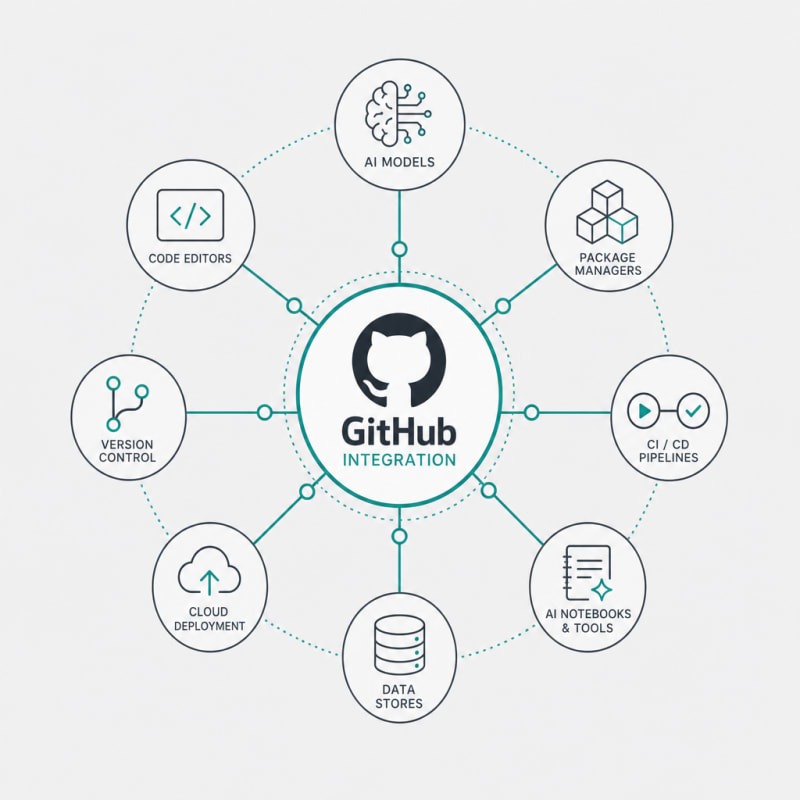
GitHub has become the de facto standard for version control and collaboration in software development. When ai development tools integrate directly with GitHub, they create a seamless workflow from code commit to production deployment. This integration eliminates manual steps, reduces errors, and ensures that your codebase remains the single source of truth.
Instant deployment capabilities take this further by automating the build, test, and release process. Instead of spending hours configuring CI/CD pipelines, modern ai deployment platforms handle this automatically. Changes pushed to your repository can be live in minutes, not hours or days. This speed is particularly crucial for AI projects where experimentation and rapid iteration are essential.
Key Features to Look For
When evaluating github ai tools and deployment platforms, several features distinguish exceptional platforms from basic ones:
Automated Environment Configuration
The best platforms detect your project's dependencies and configure the runtime environment automatically. This means no more wrestling with Docker files or managing package conflicts manually. The platform should recognize whether you're working with TensorFlow, PyTorch, Hugging Face models, or other AI frameworks and set everything up accordingly.
Continuous Deployment from Git Branches
Professional platforms allow you to deploy directly from specific branches or pull requests. This enables preview deployments where stakeholders can test new features before they merge to production. The ability to have multiple concurrent deployments from different branches streamlines collaboration and QA processes.
Scalable Infrastructure Without DevOps Overhead
AI workloads often require significant computational resources, especially during model inference. The right platform automatically scales resources based on demand without requiring manual intervention or deep DevOps knowledge. This is particularly valuable for teams focused on AI development rather than infrastructure management.
Top AI Development Platforms
Vercel
Vercel excels at deploying frontend applications and serverless functions with GitHub integration built into its core. While traditionally associated with Next.js applications, Vercel has expanded to support AI workloads through Edge Functions and serverless endpoints. The platform automatically deploys every push to GitHub, creating preview URLs for each commit. Its edge network ensures low-latency responses globally, making it suitable for AI-powered user interfaces and API endpoints.
The developer experience is streamlined with zero-configuration deployments for many frameworks. Environment variables can be managed through the dashboard, and the platform provides detailed analytics about function performance and usage patterns.
Hugging Face Spaces
Specifically designed for AI and machine learning projects, Hugging Face Spaces provides instant deployment for models and applications. The GitHub synchronization is bidirectional—you can develop locally, push to GitHub, and have your Space automatically update. Alternatively, you can edit directly in Spaces and sync back to your repository.
What sets Spaces apart is its native support for machine learning frameworks and model serving. You can deploy Gradio or Streamlit applications with minimal configuration, and the platform handles GPU allocation for computationally intensive models. The community aspect also means you can fork and build upon existing AI applications.
Railway
Railway simplifies deployment for full-stack applications, databases, and AI services with exceptional GitHub integration. It automatically detects your project type and configures build settings appropriately. The platform supports Docker containers, giving you flexibility for custom AI environments and dependencies.
The template system allows you to deploy complex architectures with a single click, including configurations for popular AI frameworks and vector databases. Railway's resource management is transparent, showing real-time metrics for CPU, memory, and network usage, which is crucial for monitoring AI workloads.
Render
Render provides a comprehensive platform for deploying web services, static sites, databases, and cron jobs, all with automatic GitHub deployment. Its infrastructure as code approach means your deployment configuration lives in your repository as a simple YAML file, ensuring reproducibility and version control.
For AI developers, Render offers persistent storage, background workers for model training or batch processing, and the ability to deploy private services that aren't exposed to the public internet. The platform handles SSL certificates, DDoS protection, and scaling automatically.
Modal
Modal takes a different approach by focusing specifically on running code in the cloud with minimal overhead. It's particularly well-suited for AI workloads like model training, batch inference, and scheduled data processing. The GitHub integration works through their CLI and Python decorators, allowing you to define infrastructure requirements directly in your code.
What makes Modal powerful for AI development is its ability to provision GPUs on-demand, cache dependencies for faster cold starts, and automatically parallelize work across multiple machines. The pricing model charges only for actual compute time, making it cost-effective for intermittent AI workloads.
Comparing Deployment Speed and Developer Experience
The true test of these ai deployment platforms lies in how quickly you can go from code to production and how smooth the developer experience feels. Platforms like Vercel and Railway typically achieve sub-minute deployments for most applications, with automatic rollbacks if something goes wrong.
Developer experience encompasses more than just speed. It includes the quality of documentation, the intuitiveness of the dashboard, how errors are communicated, and whether the platform gets out of your way. The best github ai tools feel like natural extensions of your development workflow rather than obstacles to overcome.
Build logs should be clear and actionable, making it easy to diagnose issues. Environment management should be straightforward, with the ability to promote configurations from staging to production. Monitoring and observability features help you understand how your AI application performs in production without requiring third-party tools.
Integration Patterns for AI Workflows
Different AI projects require different integration patterns. For machine learning model serving, you might use GitHub to version your model files alongside your serving code, then deploy to a platform that provides GPU acceleration. For AI-assisted applications, your GitHub repository might contain frontend code that calls AI APIs, with deployment platforms handling both the static assets and serverless functions.
A common pattern involves using GitHub Actions for preprocessing or model training, then triggering deployment to your chosen platform automatically. This creates a complete pipeline where data scientists can update models by committing to a specific branch, and the entire system updates without manual intervention.
Another effective approach separates model development from application deployment. Models are trained and versioned separately (potentially using platforms like Hugging Face), while your application code in GitHub references these models by version. This separation allows data scientists and developers to work in parallel without conflicts.
Cost Considerations
While many platforms offer generous free tiers suitable for development and small projects, AI workloads can quickly scale costs. GPU-accelerated inference, high-memory requirements for large language models, and sustained traffic all impact pricing.
The most cost-effective approach often involves matching your workload to the right platform. For example, simple AI API calls might work best on serverless platforms that charge per invocation, while sustained model serving might be cheaper on platforms with predictable monthly pricing. Some platforms like Modal optimize for intermittent workloads by charging only for active compute time.
Understanding the pricing model is crucial. Some platforms charge for build minutes, bandwidth, compute time, or a combination thereof. For AI projects, memory and GPU access typically dominate costs, so platforms that offer efficient resource utilization deliver better value.
Security and Compliance
When deploying AI applications that handle user data or proprietary models, security becomes paramount. Look for platforms that provide private repositories support, environment variable encryption, and SOC 2 compliance. The GitHub integration should use secure authentication methods rather than requiring repository-wide access tokens.
For regulated industries, consider whether the platform supports specific compliance requirements like HIPAA or GDPR. Data residency options matter if you need to ensure that compute and storage remain in specific geographic regions. Some platforms offer private cloud or on-premises deployment options for organizations with strict security requirements.
Conclusion
The landscape of ai development tools has matured significantly, offering developers powerful options for instant deployment and seamless GitHub integration. The right platform depends on your specific needs: Vercel and Render excel for full-stack applications, Hugging Face Spaces is purpose-built for ML models, Railway offers excellent flexibility, and Modal optimizes for compute-intensive AI workloads.
What unites the best platforms is their focus on removing friction from the development process. By automating deployment, scaling infrastructure automatically, and integrating deeply with GitHub, they allow developers to focus on building AI applications rather than managing infrastructure. The combination of version control, continuous deployment, and AI-optimized infrastructure has fundamentally changed what small teams can accomplish.
As you evaluate these github ai tools and ai deployment platforms, start with your specific workflow requirements. Consider the types of AI workloads you're running, your team's technical expertise, and your budget constraints. Most platforms offer free tiers that allow hands-on evaluation before committing. The investment in choosing and learning the right platform pays dividends through faster iteration cycles, reduced operational overhead, and the ability to scale confidently as your AI projects grow.
NEXTLAYER AI
Stay Ahead of AI
Get weekly breakdowns of workflows, tools, and systems for creators & founders.
Subscribe to NextLayer AISynthetic Proof
Verified — Editorial Layer
This content has passed editorial verification for clarity, accuracy, and trust alignment.
Editor-in-Chief: Kevin Marsh
Verification Status: PASSED
Verification Status: PASSED
Comments
Post a Comment