Critical review showing why statistical models produce false positives and why deterministic provenance is superior. For the past several years, the prevailing strategy for combating synthetic media has been detection: build better classifiers, train on larger datasets, identify artifacts faster than generative models can eliminate them. The logic seemed sound. If AI can create deepfakes, AI can also detect them. Except it hasn't worked. The value of provenance ultimately depends on whether organizations can turn evidence into confident decisions. Synthetic Proof helps examine that broader trust picture across AI content and workflows. Detection-based approaches have reached an operational ceiling. They struggle against modern generative models, degrade rapidly as those models improve, and offer no mechanism to verify authenticity when detection fails. Organizations deploying deepfake detectors today are discovering what researchers have known quietly for s...

Practical automation ideas for content, communication, scheduling, research, and operations.
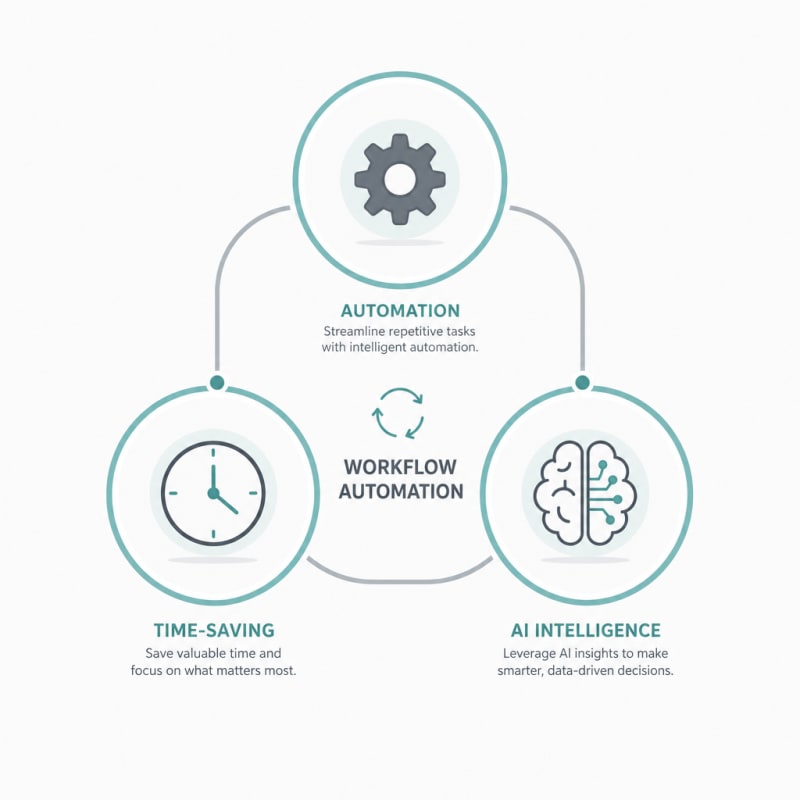
AI has moved beyond being a futuristic concept and is now an essential tool for professionals looking to streamline their daily operations. By integrating AI systems into your workflows, you can automate repetitive tasks, reduce human error, and free up valuable time for strategic work. This shift toward workflow automation isn't just about working faster—it's about working smarter and focusing your energy where it matters most.
Whether you're managing a team, running a business, or working independently, AI can transform how you approach your daily tasks. Here are ten practical ways to incorporate AI into your workflows to save time and boost productivity.
Related: If you want the full operating system for AI workflows, prompts, ideation, and execution, Snapse OS brings the pieces together.
1. Automate Email Management and Responses
Email continues to be one of the biggest time drains for professionals. AI-powered email assistants can prioritize your inbox, categorize messages, and even draft responses based on context and previous correspondence. These systems learn from your communication patterns to suggest replies that match your tone and style.
Advanced AI tools can also identify urgent messages, flag important follow-ups, and archive low-priority emails automatically. This level of workflow automation means you spend less time sorting through clutter and more time on meaningful communication.
2. Streamline Document Creation and Editing
Creating reports, proposals, and documentation can consume hours of your workweek. AI writing assistants can generate first drafts, suggest improvements to existing content, and ensure consistency across documents. These tools can adapt to your company's style guidelines and terminology, making the output feel natural and professional.
Beyond writing, AI systems can extract key information from lengthy documents, create summaries, and even convert data into readable narratives. This capability is particularly valuable when you need to process large volumes of information quickly.
3. Optimize Meeting Schedules and Coordination
Coordinating meetings across multiple calendars and time zones is notoriously tedious. AI scheduling assistants can analyze participant availability, suggest optimal meeting times, and send invitations automatically. They can also reschedule meetings when conflicts arise and learn your preferences for meeting duration and spacing.
Some AI tools go further by analyzing your calendar patterns to protect focus time and prevent back-to-back meetings that lead to burnout. This intelligent approach to time management ensures your schedule works for you, not against you.
4. Enhance Customer Support with Chatbots
AI-powered chatbots can handle routine customer inquiries 24/7, providing instant responses to common questions. These systems can resolve simple issues, guide users through troubleshooting processes, and escalate complex problems to human agents when necessary.
The benefit isn't just speed—it's also consistency. AI chatbots deliver uniform answers based on your knowledge base, ensuring every customer receives accurate information. This workflow automation frees your support team to focus on cases that require human empathy and problem-solving skills.
5. Accelerate Data Analysis and Reporting
Analyzing datasets and creating reports can take hours or even days. AI systems can process massive amounts of data in seconds, identifying trends, anomalies, and insights that might take humans much longer to discover. These tools can generate visualizations, build dashboards, and create comprehensive reports with minimal manual input.
For teams that rely on data-driven decisions, this capability is transformative. You can move from reactive reporting to proactive analysis, spotting opportunities and issues before they become critical.
6. Automate Social Media Management
Maintaining an active social media presence requires consistent posting, engagement, and monitoring. AI tools can schedule posts across multiple platforms, suggest optimal posting times based on audience activity, and even generate content ideas based on trending topics in your industry.
Content Creation and Curation
AI can help create variations of social media posts, adapt content for different platforms, and curate relevant articles to share with your audience. Some systems also analyze engagement metrics to recommend what types of content perform best, allowing you to refine your strategy continuously.
7. Improve Project Management and Task Allocation
AI-enhanced project management tools can predict project timelines, identify potential bottlenecks, and suggest optimal task assignments based on team members' skills and workload. These systems learn from past projects to provide increasingly accurate estimates and recommendations.
By automating status updates and progress tracking, AI reduces the administrative overhead of project management. Team members spend less time reporting on their work and more time actually doing it.
8. Streamline Recruitment and Onboarding
The hiring process involves numerous repetitive tasks, from screening resumes to scheduling interviews. AI systems can review applications against job requirements, rank candidates based on qualifications, and even conduct initial screening interviews through conversational interfaces.
During onboarding, AI can personalize the experience for new hires by delivering relevant training materials, answering common questions, and tracking progress through required documentation. This workflow automation ensures consistency while allowing HR teams to focus on building relationships with new employees.
9. Enhance Content Research and Curation
Researching topics and staying current with industry developments takes significant time. AI tools can monitor hundreds of sources, identify relevant articles and studies, and summarize key findings. These systems can be configured to focus on specific topics, competitors, or market trends that matter to your work.
Rather than spending hours reading through content, you receive curated summaries and highlights, allowing you to stay informed without sacrificing productivity. This is particularly valuable for content creators, researchers, and strategic planners who need to process large amounts of information regularly.
10. Optimize Financial Processes and Expense Management
Financial tasks like invoice processing, expense categorization, and budget tracking are prime candidates for AI automation. AI systems can extract data from receipts and invoices, categorize expenses automatically, and flag anomalies or policy violations.
These tools can also predict cash flow patterns, identify cost-saving opportunities, and generate financial reports with minimal human intervention. By reducing manual data entry and calculation errors, AI ensures greater accuracy while freeing finance teams to focus on strategic financial planning.
Conclusion
Integrating AI into your workflows isn't about replacing human judgment—it's about augmenting your capabilities and eliminating the busywork that prevents you from doing your best work. The ten strategies outlined above represent just a fraction of what's possible with current AI systems, and the technology continues to evolve rapidly.
The key to successful workflow automation is starting small, measuring results, and gradually expanding AI's role as you become comfortable with the technology. Focus on the tasks that consume the most time with the least strategic value, and use AI to reclaim those hours for work that requires creativity, critical thinking, and human connection. As AI systems become more sophisticated and accessible, the competitive advantage will belong to those who effectively leverage these tools to multiply their productivity and impact.
The Practical Solution
Start by picking one workflow. Choose a specific AI tool for that task, implement it for two weeks, and measure the time saved. Don't try to automate everything at once. Once you've proven value in one area, expand to the next highest-impact workflow.
— Kevin Marsh, Editor-in-Chief
SNAPSE OS
Build Your Full AI Workflow System
Get the full Snapse OS bundle with Prompt OS, ideation systems, and freelancer workflow tools in one operating system.
Explore Snapse OSSynthetic Proof
Verified — Editorial Layer
This content has passed editorial verification for clarity, accuracy, and trust alignment.
Editor-in-Chief: Kevin Marsh
Verification Status: PASSED
Verification Status: PASSED
Comments
Post a Comment